
A point by point cheat sheet about preparing a review lecture
There is not a wrong or a right way to do this but after a few decades this is what I have found to work best for me.

In my case it will mostly be about some aspect of clinical medicine or epidemiology, quite often overlapping the two. The first step is being asked to give the talk - an e-mail will arrive and hopefully it is bona fide, i.e. a meeting you know of organized by people who have heard of or can at least look up, say a scientific society or organisation. It could also be your employers or it could be a group of students, patients or lawmakers.
Here is my list of what I do after receiving the invitation to speak and having checked that it is not one of the endless scams and spoofs that everyone who ever published anything gets:
Topic and target audience Verify that this is indeed a topic that you are able to cover well - either it is well within your field of experience and you have an abundance of facts ready at a moments notice or it is something that you are willing to dive deep into and get sufficiently updated to be able to give a presentation that meets its purpose. Absolutely clarify what the audience is going to be like. Have you been in meetings in this organisation before or meetings that are sufficiently similar so that the format is familiar? Can you find out what the likely mix of professional backgrounds is? Who are these people and what do they want to hear, and what do they need to hear. Ask the organizers.
Frame - Has the programme been put together yet and if so what else is happing right before or after your talk? If you are asked to give a talk on foot ulcers then it is important to be sure if this is within a symposium called health economics of diabetes complications or one called patient education. Don’t write the wrong lecture. And do consider how it may be meant to fit into a pattern of other talks.

Make sure you know your audience and the context of your talk. Who speaks before and after you? What are they covering? Is the talk part of a particular section of the meeting so that it needs to fit a certain broader topic too? Start early - My first step is to copy all the e-mails and details into a tab in Onenote, which is order in the sequence of talks to be done. I put those in date order and give them bright colours. When the talks have been delivered then I move the tab to the right and give it a grey tab so that I can find the information again - maybe it needs listing on a CV or maybe travel costs need refunding and so forth. Do this. I find it helpful to give each talk a separate sub-folder in my lectures folder. Entirely up to you. As soon as possible do put in a placeholder powerpoint presentation in there so that you have mentally started the process - it is fine even if it is just the title slide, disclosures and a thank you slide at the end. Even better if you can begin a few bullet points on what slides you will be making, vague headlines, the beginnings of a structure.
Identify relevant papers and give particular attention to the latest if you are asked to provide an “update” or “state of the art” lecture. For other themes the earliest ground-breaking papers may be well worth digging out too. The clue is often in the title of the invited talk but you usually can’t go much wrong by making sure you include some very recent papers. No risk then that anyone will suspect you of having dusted off a presentation from 2002.
If you are asked to provide a lecture then I will assume you know how to do literature searches.
I have recently appreciated that it is far easier in the long run if I download all the source pdfs into the same folder that has the Powerpoint presentation. I do this even if I have the same pdfs elsewhere and despite also linking them to my reference manager (I use Mendeley because it is free and scans pdfs). I didn’t use to do that and then I found that I need to check something in one of the papers shortly before going to the podium and I struggle to find the pdf. Better to have some redundancy, hard drives are rarely completely clogged up with pdfs even if you buy cheap hardware and spend all day downloading large papers.
Don’t rush when putting the presentation together but also don’t spend days and days tweaking little details of the layout to make it just right. There is no end to how much one can refine the layout of a slide so don’t overdo it. '
Always always always put a reference to the study in question into the slide and if possible somewhere that people will know to look, the bottom left corner is a reasonable place but so long as you are consistent it should be fine. If you can’t put a reference to it then it did not happen. Okay, there may be exceptions. You could have opinion based bullet-points that do not need a reference but most stuff does. If a study is worth presenting then it is worth making it easy for the audience to retrieve it and dig deeper.
Contact details - it is usually appreciated that you can be reached later via e-mail or social media in case of questions or comments or invitations to speak in nice meetings! In some cases you may not want to provide this information but most people can be found via LinkedIn or their place of work anyway so might as well be of service.
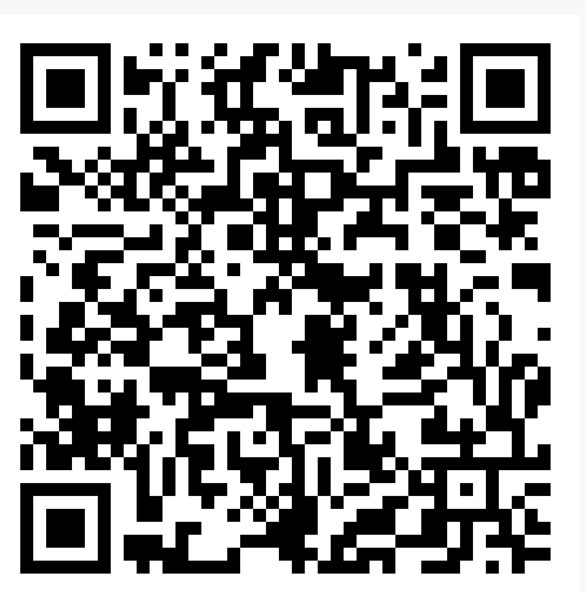
A QR-code on your slides linking to a document with a list of the references is a cool way to provide additional audience engagement and it is easy to to Additional resources - here’s a free tip and I have not yet seen anyone else do it. If I have time and feel generous then once I have the presentation together I make a Word document with a list of the references that are in the talk so people don’t have to struggle to write them down. Because I already have the references on the slides it is easy to make a Pubmed collection or put them in your reference manager of choice and run off a list in document form. I like to put a QR-code on one or two of the slides so that it can be snapped with a mobile phone and link to the place where the list is. You decide where. It could be a public link to Dropbox, Drive or some other repository. Or you can create a public list directly on Pubmed (Myncbi) and link to that. I use Adobe Express QR to generate the QR image but plenty of alternative options you can use. Alternatively just use a link-shortener like tinyurl and that will be fine too.
Keep time and never read the reviews!
Many wise words here. You are very technological, many light-years ahead of me. My instructions for creating one of my own lectures would be 'Grab a piece of paper and a pen; try to find some relevant material somewhere; try to find the piece of paper and the pen again'. I bet your approach is a solid time-saver. I like the psychology advice - just make a start, even if it's nothing more than a few outline slides. Somehow, it's always easier to come back to a piece of work you've started, even in the most rudimentary manner.